MediaSFU Agents
Phone agents, campaigns, and multimodal AI playgrounds
Configure AI agents for inbound calls, outbound campaigns, web callers, and non-phone voice or multimodal experiences. Test live phone-agent demos, use the phone-agent studio for SIP/PSTN workflows, or open the agent playground for voice, vision, and multimodal prototypes.
Try it now · no signup
Talk to an agent, then run it
Ask as the customer on one side; on the other, watch the session arrive and co-pilot or take over.
Try it now
Ask as the customer. Watch the operator side.
Type what a customer would really send — "where is my order?" — then watch it land on the dashboard beside it.
Runs in this browser. Nothing is created until you press start.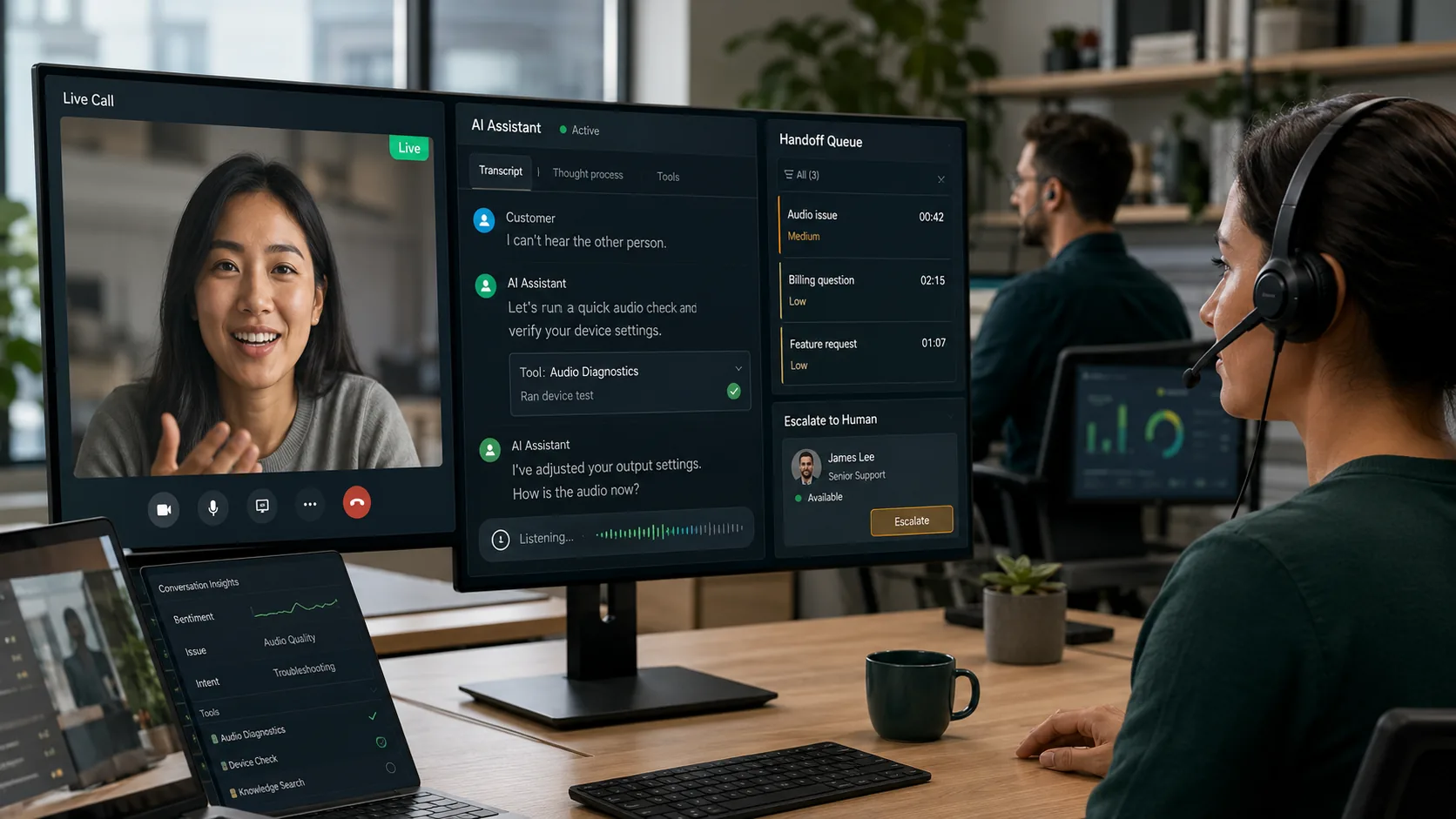
- 1Support is ready for the customer
- 2Customer asks a question
- 3Operator dashboard opens on the same session
- 4Operator responds, co-pilots, or takes over
Perfect For
Call Centers
Automate tier-1 support and lead qualification. AI handles calls end-to-end, with one-click human takeover when callers request a person. Campaign batches let you call 10 numbers simultaneously.
Learn moreHealthcare
Appointment reminders, prescription refill confirmations, and follow-up calls — all automated with AI. Set call context per campaign so the bot knows each patient's details.
Learn moreE-Commerce
Order confirmation calls, delivery status updates, and customer satisfaction surveys. Run campaigns with urgency settings to prioritize time-sensitive outreach.
What You Can Do
Feature-rich tools designed for real-world workflows
4-Step Campaign Wizard
Create automated calling campaigns with a guided workflow that ensures every setting is right before you start.
- Step 1: Select a bot-enabled SIP line (auto-filters for AI-capable numbers)
- Step 2: Name your campaign with an optional description
- Step 3: Add targets — paste numbers, upload CSV/TXT, or pick from contacts
- Step 4: Configure call settings and optional AI Call Context
- Up to 100 phone numbers per campaign batch
AI Call Context
Give the AI agent detailed context about why it's calling — purpose, objective, script, urgency, and per-target callee info.
- Purpose — explain why calls are being made (e.g., "Follow up on quote request")
- Objective — define the expected outcome (e.g., "Confirm appointment")
- Script — talking points and conversation guidelines for the AI
- Urgency level — low, normal, high, or urgent (visible on campaign cards)
- Callee Info — per-target name, company, title, and notes for personalized calls
- Custom Data — arbitrary key-value pairs for external system integration
Campaign Call Settings
Fine-tune how and when calls are placed for maximum efficiency.
- Concurrent calls — 1, 2, 3, 5, or 10 simultaneous outbound lines
- Ring timeout — 15, 30, 45, or 60 seconds before moving to next target
- Retry failed calls — 0 to 3 automatic retries with configurable delay
- Time between calls — 0, 5, 10, or 30 second gaps between batches
- Auto-hangup on voicemail detection
- Transfer-to-human support if SIP config allows
Real-Time Progress Tracking
Monitor campaign progress live with per-target status, completion percentage, and aggregate stats.
- Live progress bar with percentage complete
- Per-target status — pending, calling, completed, failed, no answer, busy, voicemail
- Stats breakdown — total targets, completed, in progress, pending, failed
- Dashboard stats — total campaigns, active, completed, drafts at a glance
- Auto-refresh every 5 seconds while campaign is running
Contact Integration
Three ways to add campaign targets, with full contact enrichment.
- Paste numbers — free-text with smart parsing (supports "Name: +1234567890" format)
- Upload file — CSV or TXT with automatic phone number extraction
- Pick from contacts — searchable, multi-select contact picker with up to 50 at a time
- Automatic deduplication across all input methods
- CRM reference ID field for linking campaigns to external records
Campaign Lifecycle Management
Full control over every campaign from draft to completion.
- Start — launch calling immediately from draft state
- Pause & Resume — suspend and continue without losing progress
- Cancel — permanently stop all pending calls (with confirmation)
- Edit — modify campaigns in draft or paused state
- Duplicate — clone any campaign (including call context) with one click
- Delete — remove completed or cancelled campaigns
Usage Scenarios
Real-world workflows, step by step
Running a Lead Follow-Up Campaign
You have 50 leads from a webinar who need a follow-up call. The AI bot will call each one, introduce your product, and log the outcome.
Appointment Reminder Campaign
Call 30 patients to remind them of upcoming appointments. Each call is personalized with the patient's name and appointment time.
Pause, Edit, and Resume a Campaign
A running campaign needs adjustments — update the script or add more targets without starting over.
Bring your own STT, LLM, TTS, or realtime speech-to-speech providers where supported. MediaSFU charges for orchestration and infrastructure.
- Campaign wizard with AI Call Context
- Up to 10 concurrent calls per campaign
- Real-time per-target status tracking
- Human takeover mid-call
- Contact picker with CRM reference
Works With
Part of These Solutions
Ready to test an agent workflow?
Call the demo, open the studio, or start free when you are ready to configure your own.