Starter Screens
Use this page when you want to build something that feels like a real product, not a generic meeting demo.
Recommended starter order
- WhatsApp-style call screen
- Twitch-style host dashboard
- TikTok Live host and guest queue
- Support or AI agent console
This order moves from smallest surface area to highest customization.
Choose your UI ownership angle first
Read Choose your UI mode before picking a starter if you are still deciding between returnUI={true} and returnUI={false}.
Use Storybook visual preview when you want to inspect overrideable cards, guide stories, and ReactJS UI surfaces before editing a starter.
Visual targets
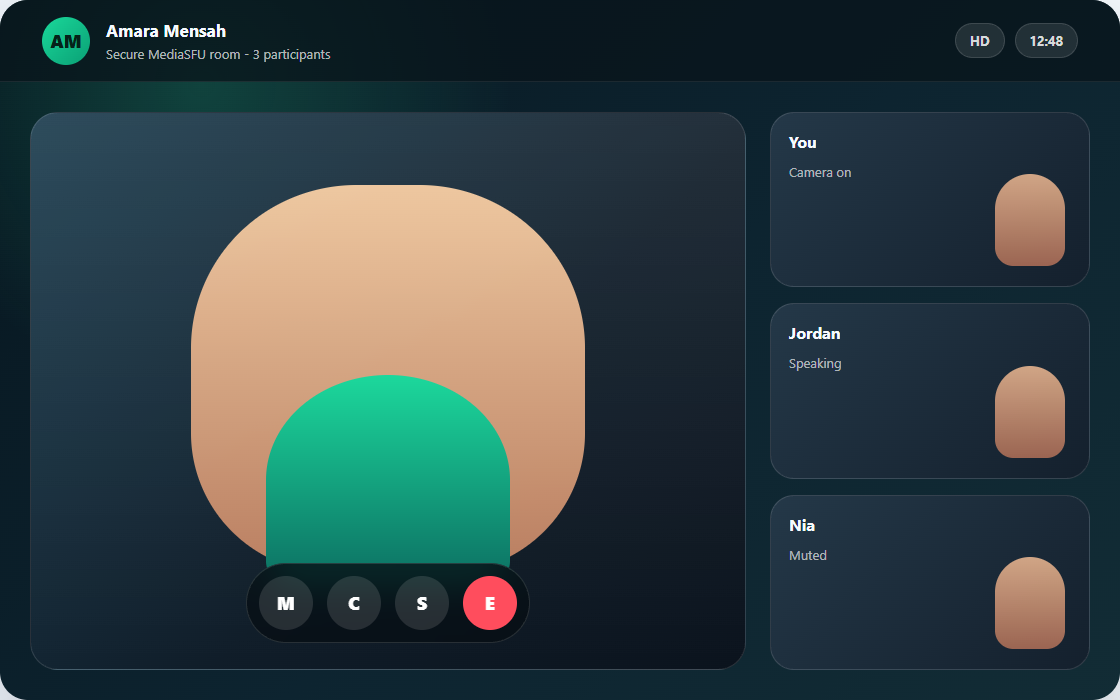
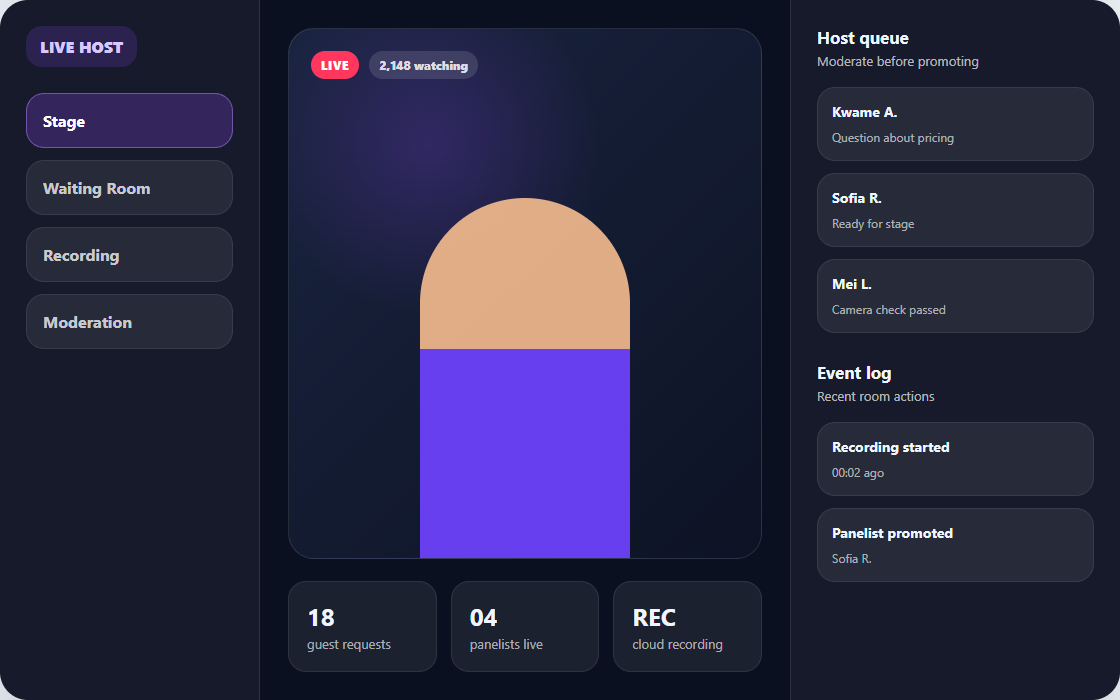
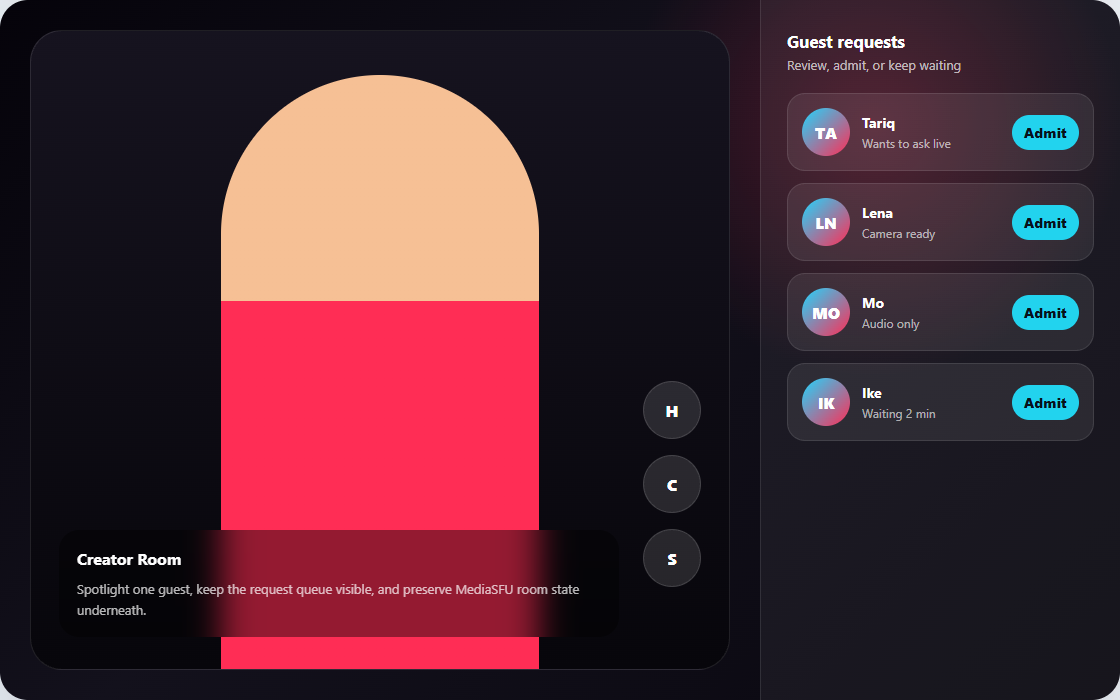
These previews show the product direction each starter is aiming for. They are static visual targets for layout and interaction planning; the implementation steps below keep MediaSFU room workflow, secure create/join behavior, and SDK state handling intact.
| WhatsApp-style call | Twitch-style host dashboard | TikTok Live guest queue |
|---|---|---|
 |  |  |
| If you want... | Start with |
|---|---|
| MediaSFU's visible room experience with light branding or surface replacement | returnUI={true} |
| A fully app-owned shell driven by MediaSFU helpers | returnUI={false} |
| A custom dashboard while MediaSFU still owns the visible room runtime | returnUI={true} plus customComponent |
Starter matrix
| Product shape | Default angle | Alternate angle | Start here |
|---|---|---|---|
| WhatsApp-style call | returnUI={true} plus UI overrides | returnUI={false} plus a compact custom shell | Tutorial - WhatsApp-style call screen |
| Twitch-style host dashboard | returnUI={true} plus customComponent | returnUI={false} plus a headless host dashboard | Tutorial - Twitch-style host dashboard |
| TikTok Live host and guest queue | returnUI={true} plus customComponent | returnUI={false} plus a headless guest queue | Tutorial - TikTok Live guest queue |
| Support or AI agent console | returnUI={false} plus a headless console | returnUI={true} only when the workspace can remain room-shaped | Tutorial - Support or AI agent console |
WhatsApp-style call screen
Start here for the full step-by-step:
Best for
- one-to-one or small-group calling
- mobile-first layout decisions
- fast product proof with light branding
Keep from MediaSFU
- core join flow
- camera, mic, and screen controls
- participant and device handling
- prebuilt room logic
Replace first
- control bar styling
- prejoin shell
- mini cards and main video card presentation
First shippable milestone
Build a secure join flow plus a custom bottom control bar and simplified participant surface.
Twitch-style host dashboard
Start here for the full step-by-step:
Best for
- broadcast or webinar products
- live host moderation
- panelist, requests, and recording flows
Keep from MediaSFU
- webinar or broadcast runtime
- requests and waiting room logic
- recording controls
- chat and moderation primitives
Replace first
- host sidebar
- stage layout
- panelist and moderation surfaces
- recording status presentation
First shippable milestone
Ship a host dashboard with stage view, moderation panel, waiting room queue, and recording controls.
TikTok Live host and guest queue
Start here for the full step-by-step:
Best for
- host-first live workflows
- guest request and admit flows
- active-speaker or pinned guest presentation
Keep from MediaSFU
- request handling
- permissions workflows
- panelist or guest-like participation controls
- chat, translation, and recording support
Replace first
- host view shell
- guest queue list
- active guest spotlight layout
- reaction or interaction surfaces around the room
First shippable milestone
Ship a host screen that can accept guest requests, admit one active guest, and swap layouts without changing the runtime contract.
Support or AI agent console
Start here for the full step-by-step:
Best for
- operator dashboards
- warm handoff workflows
- AI-assisted voice or multimodal support experiences
Keep from MediaSFU
- voice/video runtime
- translation and transcription
- recording hooks
- participant state and escalation flows
Replace first
- the entire outer shell
- action sidebars
- CRM or ticket context panes
- escalation and handoff controls
First shippable milestone
Ship a headless custom shell with a conversation pane, operator controls, and live runtime actions driven by sourceParameters or mediasfu-shared.
How to use these starters well
- Start from Secure Backend Proxy before styling anything.
- Validate the stock flow first.
- Choose the lightest integration style that still fits the product.
- Keep MediaSFU workflow logic intact while you replace presentation.